This just in: Google doesn’t want to block third-party cookies in Chrome right now. It has promised to make them obsolete later, though. Wait – what? The search engine giant gave us the latest update this week in the journey towards what it says will be a more private, equitable web. It announced this initiative, […]
The first step will be to create a method to guess if the HTTP request comes from HTTP or HTTPS (secure or not secure). In some context like AWS or Heroku you will have to ask by the header x-forwarded-proto instead of req.secure.
Have in mind that req.secure will return always false if there is a load balancer that redirects internally through HTTP. So let’s contemplate both scenarios
/**
 * @param req express http request
 * @returns true if the http request is secure (comes form https)
 */
function isSecure(req) {
  if (req.headers['x-forwarded-proto']) {
    return req.headers['x-forwarded-proto'] === 'https';
  }
  return req.secure;
};
And then add this code in you app.js. Have in mind we are not redirecting to HTTPS if we are in our development or testing environment but you can skip them if you want and redirect always.
// redirect any page form http to https
app.use((req, res, next) => {
  if (process.env.NODE_ENV !== 'development' && process.env.NODE_ENV !== 'test' && !isSecure(req)) {
    res.redirect(301, `https://${req.headers.host}${req.url}`);
  } else {
    next();
  }
});
Now all requests will be redirected to HTTPS if you access through HTTP regardless the full URL
Let’s build a small site in Node.js using Express that will have one protected page
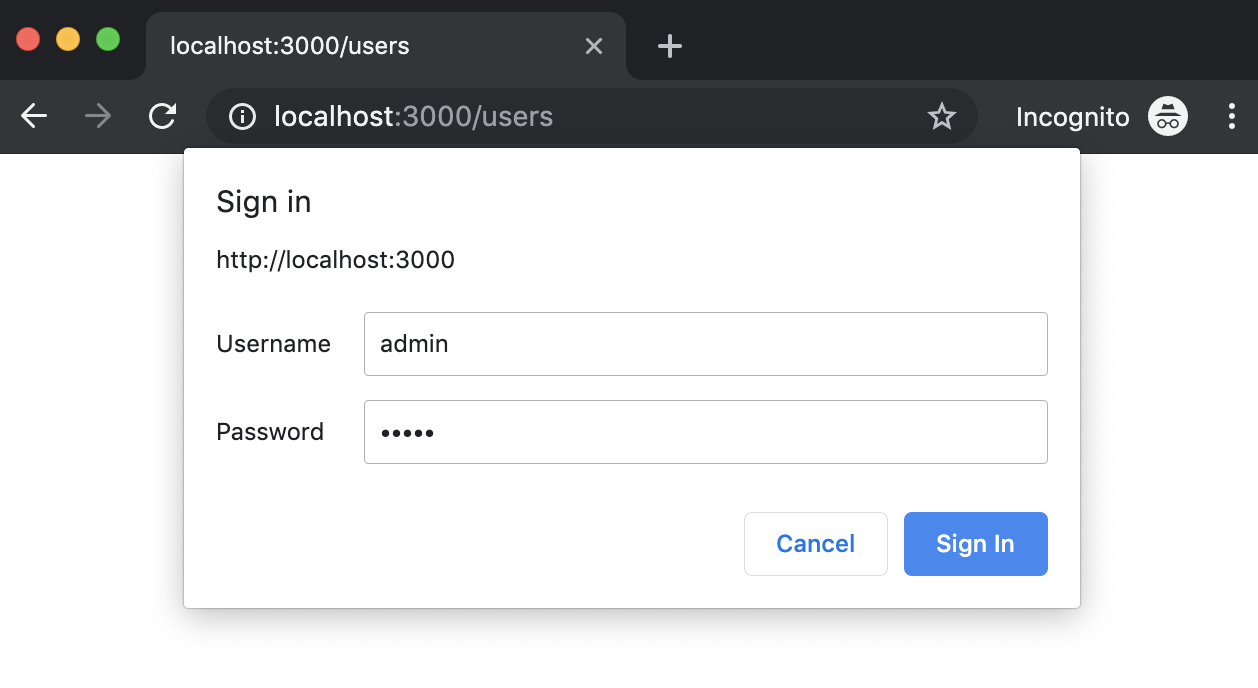
Http auth basic prompt dialog
We are going to use express generator to generate some scaffolding. If you didn’t install it just type this command to install it globally but if you already know all this stuff you might skip it and go direct to The Magic section
npm install express-generator -g
Generate a site with default options:
express auth-basic
The output of that command will show you the generated files
var express = require('express');
var router = express.Router();

const basicAuth = require("express-basic-auth");

const authOptions = {
  challenge: true, //it will cause most browsers to show a popup to enter credentials on unauthorized responses,
  users: {"admin": "admin"},//typically you will get  this info from environment variables or any other source
  authorizeAsync: false,
  unauthorizedResponse: getUnauthorizedResponse,
};

/**
 *
 * @param req
 * @returns {string} the text to be displayed when users hit on cancel prompt button
 */
function getUnauthorizedResponse(req) {
  return "Unauthorized";
}

/**
 *  GET users listing.
 */
router.get('/', basicAuth(authOptions), function(req, res, next) {
  res.send('Users listing area');
});

module.exports = router;
You should see a prompt that asks you for credentials. Try click on cancel button and then refresh the page to introduce the credentials you wrote in the code.
You know those Android dialogue boxes that pop up when you first run an app, asking you what permissions you want to give the software? They’re not as useful as we all thought.
Zoom, a company that sells video conferencing software for the business market, is tweaking the app to fix a vulnerability in the Mac software that allows malicious websites to force users into a Zoom call with the webcam turned on.


 javaniceday.com