A good practice in software development is to delegate as much heavy work as possible to background jobs to avoid blocking the main execution of your application that can be a web app, mobile app or desktop.
Send email notifications it’s the typical scenario where you should execute it in background.
More scenarios
Image processing
Data aggregation / migration / conversion
Push notifications
What else do you think?
Some platforms offer cheaper CPU running in background so you can save money in addition to user experience.
Why is it important?
Imagine several users making requests to you server that last more than 30 seconds or one minute. Your web app will get slow soon because HTTP connection are not infinite.
Queue several jobs it’s pretty easy but what it’s no easy is to process them one by one or in batches, set states, retry if some of them fail, etc.
This is a common problem so you shouldn’t implement a solution from scratch
Better Queue
From many solutions we have in Node JS, better-queue module is a good one.
Better Queue is designed to be simple to set up but still let you do complex things.
By default it uses an in-memory queue but to configure a persistent queue with Redis or MySQL is pretty easy because there are drivers written for better-queue.
More features
Persistent (and extendable) storage
Batched processing
Prioritize tasks
Merge/filter tasks
Progress events (with ETA!)
Fine-tuned timing controls
Retry on fail
Concurrent batch processing
Task statistics (average completion time, failure rate and peak queue size)
You know those Android dialogue boxes that pop up when you first run an app, asking you what permissions you want to give the software? They’re not as useful as we all thought.
Zoom, a company that sells video conferencing software for the business market, is tweaking the app to fix a vulnerability in the Mac software that allows malicious websites to force users into a Zoom call with the webcam turned on.
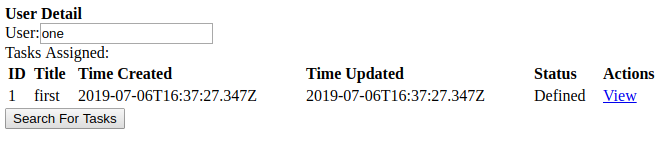
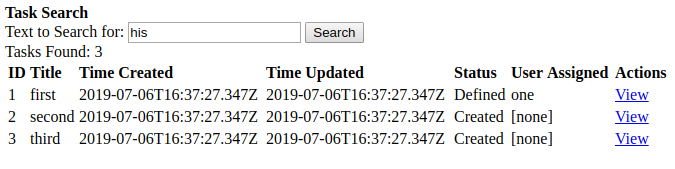
The JavaScript code below implements a rudimentary bug tracker, or, perhaps more accurately, a task tracker. To see it in action, copy it into an .html file and open that file in a web browser that runs JavaScript.
It’s not actually useful in its current form, of course, as all the users are hardcoded and any tasks added during the session aren’t persisted anywhere. I’d also like to implement parent-child relationships among tasks and add support for generalized attributes. This program is intended mostly as a basis for further work.
In this article we discuss how we can easily implement APIs caching in distributed solutions. A Node.js implementation is described, in concrete the great http-cache-middleware module:
const middleware = require('http-cache-middleware')()
const service = require('restana')()
service.use(middleware)

service.get('/expensive-route', (req, res) => {
  const data = // heavy CPU and networking tasks...

  res.setHeader('x-cache-timeout', '1 week')
  res.send(data)
})
But, what is caching?
Acacheis a hardware or software component that stores data so that future requests for that data can be served faster; the data stored in a cache might be the result of an earlier computation or a copy of data stored elsewhere. Acache hitoccurs when the requested data can be found in a cache, while acache missoccurs when it cannot. Cache hits are served by reading data from the cache, which is faster than recomputing a result or reading from a slower data store; thus, the more…
At different levels you might optimize you JavaScript code. Sometimes optimization is a matter of good practices such as avoid using logging in loops.
This is not not a holy bible, it’s just a guide with some tips that can be implemented in your projects or not. There’s not recipes, just good practices.
Most of these tips also can be applied also to others programming languages
Logging
It’s normal and necessary we add some log lines to have some clues when things go in the wrong direction. Logging is not cheap and even more if we print dynamic logs such as:
console.log('My variable value is: '+myVar);
As a thumb rule for logging is to avoid printing them in loops. So, avoid deploy code to production like this one:
for(let i = 0; 1 < 10; i++){
  console.info('I am '+i);
}
SQL queries
SQL queries are our big bottle neck most of the time so cache as much as possible to avoid unnecessary round trips.
Luckily, there’s an easy way to know how much times does a particular SQL takes:
I used the module apicache. By defaults it works as in-memory cache but you can also configure it to make it persistent with Redis.
Database level
I never used in Node a module that resolves database cache. I just stored some results in variables. That was enough for my requirements.
async/await
async and await keywords are great. Make our code more readable but sometimes we forget that we should parallelize as much as possible. Let see an example:
In short, Prettier is a code formatter that supports many languages and can be integrated with most of editors. Also you can integrated with you automated process such as CI; that way, nobody will be able to merge in you master branch if the code is not well formatted.
With Prettier you will be able to define your own rules, however default rules are enough at the beginning. Your rules will be defined in a file called .prettierrc that you will place in you project’s root.
Let’s install it and then make some configurations.
If you are using PHP Storm, it’s highly recommended that you configure your IDE to auto-format your code every time you save a .js file. https://prettier.io/docs/en/webstorm.html. The plugin will take the rules from you .prettierrc file
Configure a File Watcher in PHP Storm to auto-format the code on save.
Visual Studio Code
You can install the extension as any other and then you can use these configurations in you settings.js with the prefix “prettier”
Even though the Event Loop is a single thread we have to take care of race condition since 99% of our code will run in a non main thread. Callbacks and Promises are a good example of it. There are many resources along World Wide Web about how Event Loop works like this one, so the idea of this post is assume that we could have a resource in our code that could be accessed (read and write) by multiple threads.
Here we have a small snippet that shows how to deal with race condition. A common scenario is when we cache some data that was expensive to get in terms of CPU, network, file system or DB.
Implementation
We might implement a cache in multiple ways. A simple way is a in-memory collection; in this case, a Map. The structure of our collection can also be a List, that will depend on our requirements.
Our Map holds users and we use the User ID as the Key and the User itself (through a Promise) the Value. That way, a method getUserById will be very fast: O(1).
I’ll explain step by step but at the end of this post you have the full source code
So let start by our map
const cache = new Map();
Our Map won’t be so smart in this example, it won’t expire elements after a while and it will add as many elements as available memory we have. An advanced solution is to add this kind of logic to avoid problems. Also it will be empty after our server restarts, so is not persistent.
Let’s create a collection of users that simulate our DB
const users = [];
function createSomeUsers() {
    for (let i = 0; i < 10; i++) {
        const user = {
            id: i,
            name: 'user' + 1
        };
        users.push(user);
    }
}
The main method that we want to take care of race condition
function getUserFromDB(userId) {
    let userPromise = cache.get(userId);
    if (typeof userPromise === 'undefined') {
        console.info('Loading ' + userId + ' user from DB...');//SHOULD BE executed only once for each user
        userPromise = new Promise(function (resolve, reject) {
            //setTimeout will be our executeDBQuery
            const threeSeconds = 1000 * 3;
            setTimeout(() => {
                const user = users[userId];
                resolve(user);
            }, threeSeconds);
        });
        //add the user from DB to our cache
        cache.set(userId, userPromise);
    }
    return userPromise;
}
To test our race condition we’ll need create multiple callbacks that simulate a heavy operation. That simulation will be made with the classic setTimeout that will appear later.
function getRandomTime() {
    return Math.round(Math.random() * 1000);
}
Finally the method that simulate the race condition
function executeRace() {
    const userId = 3;
    //get the user #3 10 times to test race condition
    for (let i = 0; i < 10; i++) {
        setTimeout(() => {
            getUserFromDB(userId).then((user) => {
                console.log('[Thread ' + i + ']User result. ID: ' + user.id + ' NAME: ' + user.name);
            }).catch((err) => {
                console.log(err);
            });
        }, getRandomTime());
        console.info('Thread ' + i + ' created');
    }
}
Our last step: call our methods to create some users and to execute the race condition
createSomeUsers();
executeRace();
Let create a file called race_condition.js and execute it like this:
node race_condition.js
The output will be:
Dummy users created
Thread 0 created
Thread 1 created
Thread 2 created
Thread 3 created
Thread 4 created
Thread 5 created
Thread 6 created
Thread 7 created
Thread 8 created
Thread 9 created
Loading 3 user from DB...
[Thread 8]User result. ID: 3 NAME: user1
[Thread 3]User result. ID: 3 NAME: user1
[Thread 1]User result. ID: 3 NAME: user1
[Thread 9]User result. ID: 3 NAME: user1
[Thread 5]User result. ID: 3 NAME: user1
[Thread 2]User result. ID: 3 NAME: user1
[Thread 7]User result. ID: 3 NAME: user1
[Thread 0]User result. ID: 3 NAME: user1
[Thread 6]User result. ID: 3 NAME: user1
[Thread 4]User result. ID: 3 NAME: user1
Notice that [Thread X] output do not appear in order. That’s because of our random time tat simulate a thread that takes time to be resolved.
Full source code
/**
 * A cache implemented with a map collection
 * key: userId.
 * value: a Promise that can be pending, resolved or rejected. The result of that promise is a user
 * IMPORTANT:
 *  - This cache has not a max size and a TTL so will grow up indefinitely
 *  - This cache will be reset every time script restart. We could use Redis to avoid this
 */
const cache = new Map();
/**
 * Our collection that will simulate our DB
 */
const users = [];
/**
 *
 */
function createSomeUsers() {
    for (let i = 0; i < 10; i++) {
        const user = {
            id: i,
            name: 'user' + 1
        };
        users.push(user);
    }
    console.info('Dummy users created');
}


/**
 *
 * @param {int} userId
 * @returns Promise<User>
 */
function getUserFromDB(userId) {
    let userPromise = cache.get(userId);
    if (typeof userPromise === 'undefined') {
        console.info('Loading ' + userId + ' user from DB...');//SHOULD BE executed only once for each user
        userPromise = new Promise(function (resolve, reject) {
            //setTimeout will be our executeDBQuery
            const threeSeconds = 1000 * 3;
            setTimeout(() => {
                const user = users[userId];
                resolve(user);
            }, threeSeconds);
        });
        //add the user from DB to our cache
        cache.set(userId, userPromise);
    }
    return userPromise;
}

/**
 * @returns a number between 0 and 1000 milliseconds
 */
function getRandomTime() {
    return Math.round(Math.random() * 1000);
}

/**
 *
 */
function executeRace() {
    const userId = 3;
    //get the user #3 10 times to test race condition
    for (let i = 0; i < 10; i++) {
        setTimeout(() => {
            getUserFromDB(userId).then((user) => {
                console.log('[Thread ' + i + ']User result. ID: ' + user.id + ' NAME: ' + user.name);
            }).catch((err) => {
                console.log(err);
            });
        }, getRandomTime());
        console.info('Thread ' + i + ' created');
    }
}

createSomeUsers();
executeRace();
If you are building a website, e-commerce, a blog, etc., you will need a full-text search to find related content like Google does for every web page. This is an already known problem so probably you don’t want to implement your own solution.
One option is to use the flexsearch module for Node js.
Have in mind that it’s an in-memory implementation so won’t be possible to index a huge amount of data. You can make your own benchmarks based on your requirements.
Also, I strongly recommend you install a plugin in your browser to see JSON in a pretty-print format. I use JSONView. Another option is to use Postman to make your HTTP requests
mkdir myflexsearch
cd myflexsearch
express --no-view --git
You can delete boilerplate code such as /public folder and routes/routes/users.js. After that yo will have to modify app.js because they are used there. Anyway that code doesn’t affect our Proof of Concept.
Let’s install flexsearch module
npm install flexsearch --save
Optionally you can install nodemon module to automatically relad your app after every change. You can install it globally but I will locally
npm install nodemon --save
After that, open package.json and modify start
"scripts": {
    "start": "nodemon ./bin/www"
 }
Let’s code!
Our main code will be at routes/index.js. This will be our endpoint to expose a service to search like this: /search?phrase=Cloud
With preset = “score” we are defining behavior for our search. You can see more presets here. I recommend you play with different presets and see results.
Define a key. Typically and ID field of our elements to index (user.id, book.id, etc)
Define a content where we want to search. Example: the body of our blog post plus some description and its category.
Expose a service to search through a URL parameter
Build our index if it is empty
Get the phrase to search from and url parameter
Search in our index and get a list of IDs with results
With the above results get elements from our indexed collection.
Make requests to test our data
Building the index
function buildIndex() {
  console.time("buildIndexTook");
  console.info("building index...");

  const data = wsData.data; //we could get our data from DB, remote web service, etc.
  for (let i = 0; i < data.length; i++) {
    //we might concatenate the fields we want for our content
    const content =
      data[i].API + " " + data[i].Description + " " + data[i].Category;
    const key = parseInt(data[i].id);
    searchIndex.add(key, content);
  }
  console.info("index built, length: " + searchIndex.length);
  console.info("Open a browser at http://localhost:3000/");
  console.timelineEnd("buildIndexTook");
}
Have in mind we are working with an in-memory search so be careful with the amount of data you load to the index. This method shouldn’t take more than a couple of seconds running.
Basically in buildIndex() method we get our data from a static file but we could get it from a remote web service or a data base. Then we indicate a key for our index and then the content. After that our index is ready to receive queries.
Exposing the service to search
router.get("/search", async (req, res, next) => {
  try {
    if (searchIndex.length === 0) {
      await buildIndex();
    }

    const phrase = req.query.phrase;
    if (!phrase) {
      throw Error("phrase query parameter empty");
    }
    console.info("Searching by: " + phrase);
    //search using flexsearch. It will return a list of IDs we used as keys during indexing
    const resultIds = await searchIndex.search({
      query: phrase,
      suggest: true //When suggestion is enabled all results will be filled up (until limit, default 1000) with similar matches ordered by relevance.
    });

    console.info("results: " + resultIds.length);
    const results = getDataByIds(resultIds);
    res.json(results);
  } catch (e) {
    next(e);
  }
});
Here we expose a typical Express endpoint that receives the phrase to search through a query string parameter called phrase. The result of our index will be the keys that match with our phrase, after that we will have to search our elements in our dataset to be displayed.
function getDataByIds(idsList) {
  const result = [];
  const data = wsData.data;
  for (let i = 0; i < data.length; i++) {
    if (idsList.includes(data[i].id)) {
      result.push(data[i]);
    }
  }
  return result;
}
We are just iterating our collection but typically we will query a data base.
Making requests
Our last step is just to make some test requests with our browser, Postman, curl or any other tool. Some examples:
Sometimes you need a dependency that is not published as a regular package at npmjs.com. Probably is the case of a private package.
Node.js allows remote dependencies such as GitHub private repository, so let explain how to do that.
We will need a GitHub personal token. In your GitHub account go to Settings–>Developer settings–>Personal access tokens. After that, generate a new token with the permissions you need (probably read only).





 javaniceday.com